Submitting your preceptor and site in ProjectConcert
At East Tennessee State University (ETSU), a preceptor you found reaches the College of Nursing through one ProjectConcert entry: a "Preceptor & Clinical Agency Onboarding" experience with the completed form and the preceptor's CV attached. Here is how to prepare it, file it, read a rejection and send it back corrected.
Get your placement plan
Tell us your ETSU program and where you live. A placement advisor replies with the preceptor and site options that fit your ETSU course.
What the entry does and when to file it
The onboarding entry tells the College who will precept you, at which agency, for which course. It goes to the graduate clinical coordinator you choose from a dropdown, and approval ends with the Graduate Clinical Placement Coordinator emailing your preceptor their own way into ProjectConcert.
ETSU publishes no deadline for the entry and no lead time for the contract a site needs before clinicals start. That silence argues for speed: file as soon as a preceptor and site say yes, and ask the coordinator what timing works for your course and term. A site that has never hosted an ETSU student may need a new contract, a separate step explained on the clinical contracts page. Filing early also leaves room to fix a rejection before the term begins.
Have these ready before you open ProjectConcert
An entry that arrives complete moves faster than one sent back for a missing detail. Collect these first, with the preceptor's help where needed.
- The completed form. ETSU's October 2024 guide calls the upload the "Preceptor & Clinical Agency On-Boarding form," while the form posted on etsu.edu is the older Preceptor Intent Form. Ask the coordinator which current version to use; the Intent Form page explains its fields.
- The preceptor's CV, up to date and showing the role they hold now.
- Credentials with dates: license numbers with issuing state and expiry, and certification numbers with expiry, each checked to run past the last day of your term.
- The site and the plan: the agency's name and address, its patient mix, your planned hours, and any second preceptor who will share the rotation.
- The current course number, such as
NRSE 5502orNRSE 6801, rather than theNRSE 5500orNRSE 6800printed on the older form.
Filing the entry, screen by screen
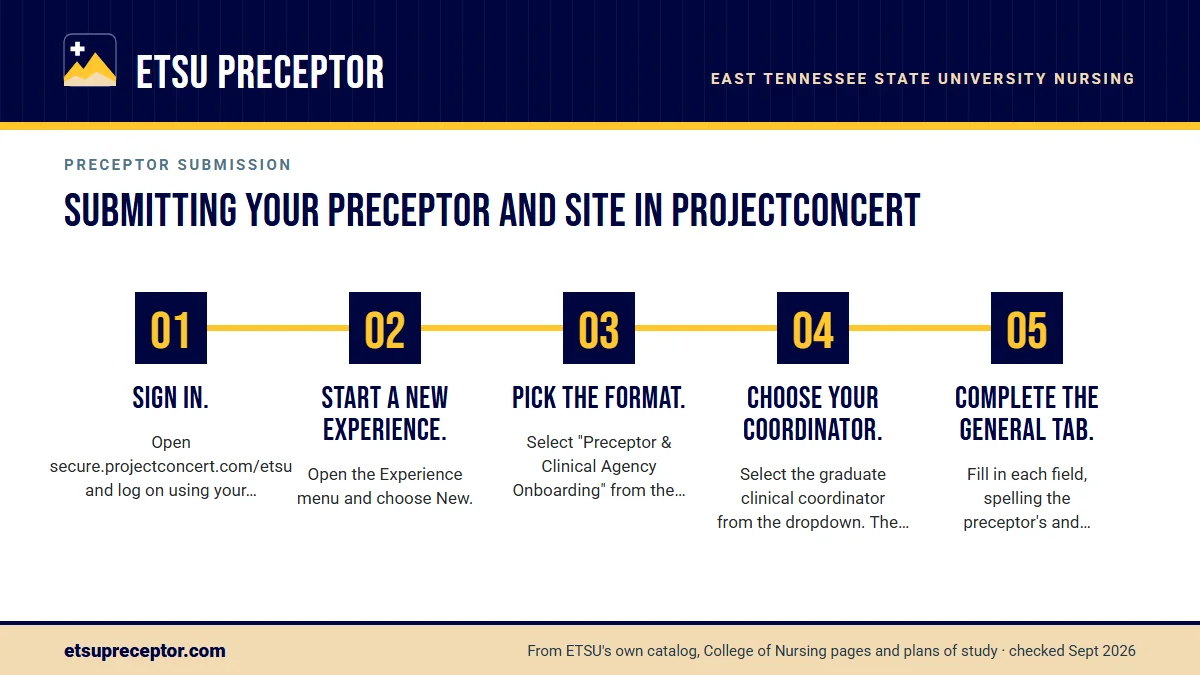
These steps follow ETSU's October 2024 ProjectConcert guide for the onboarding entry. Before you start, save every file where you can reach it in one click.
- Sign in.Open secure.projectconcert.com/etsu and log on using your ETSU username.
- Start a new experience.Open the Experience menu and choose New.
- Pick the format.Select "Preceptor & Clinical Agency Onboarding" from the formats offered.
- Choose your coordinator.Select the graduate clinical coordinator from the dropdown. The list can hold more than one name, so confirm which one covers your program before you submit.
- Complete the General tab.Fill in each field, spelling the preceptor's and agency's names exactly as they appear on your form.
- Upload on the Documents tab.Attach the completed onboarding form, then the preceptor's CV and any other files the coordinator asked for.
- Save, then Submit.The guide lists both steps in that order. Once submitted, the entry is either approved or rejected.
Reading a rejection and resubmitting
A rejection comes with a reason, and ETSU's process is built for fixing it. The September 2024 tutorial lays out the way back: an email tells you the entry was rejected, and the reason waits under Experience, then Existing, where the entry shows the status "Rejected" and the Comment column holds the explanation. You edit that same entry and submit it again.
ETSU publishes no list of rejection reasons, so the comment is your only guide. Fix exactly what it names, then scan the rest of the entry for the same kind of problem. When a comment is unclear, ask its author by @etsu.edu email before you resubmit; one short question costs far less time than a second rejection for the same reason.
Edit and resubmit the rejected entry itself. ETSU's tutorial describes correcting that entry, not opening a fresh one alongside it.
After approval: what still stands before day one
Alongside the entry's status, the Preceptor Intent Form names four more gates before clinicals start: your clinical faculty must approve the preceptor, the Office of Student Services must confirm the preceptor's credentials, the agency's contract must be signed, and your immunizations, liability insurance and other requirements must be complete. The approval page covers each one and who handles it.
Next comes the Preceptor Welcome Email, which gives your preceptor a username for ProjectConcert. Tell them to watch for it, because that access is how they review your hours later in the term. Once it arrives, enter your clinical days in the Schedule tab; the hour log guide takes over from there. Keep your own copy of the final form and CV with your course records.
Details worth checking twice
ETSU does not publish why entries come back, but the form and the course structure show where an entry can go wrong. These are the checks our placement desk runs before a student files.
- Population fit. Faculty use the form to judge whether a preceptor can meet the course's population focus. A pediatric-heavy clinic suits
NRSE 5024but notNRSE 5014, the older adults practicum; the patient population mix page explains the screen. - Dates. A license or certification that lapses mid-term invites questions from the Office of Student Services, which verifies preceptor credentials.
- Hours. The planned hours across every preceptor you name should cover the course total in your plan of study, such as 120 for an NP practicum or 180 for an administration practicum.
- Attachments. Upload the completed form, and add the preceptor's CV so reviewers see the experience behind the credentials.
- Coordinator. The name picked from the dropdown should be the coordinator who covers your program.
How we get your entry right the first time
Our placement desk hands you a submission packet built for this exact entry: the current form filled in from the preceptor's own records, a current CV, license and certification numbers with expiry dates checked against your term, the site's address and patient mix matched to your course, and planned hours that add up to your plan of study. You file it from your own ProjectConcert account with nothing left to chase.
If the entry comes back, send us the comment and we turn the fix around quickly, getting whatever the preceptor or site must supply. If a preceptor withdraws later in the term, we find a replacement in your community and prepare the new entry. Our process shows each step, and the form below starts yours.
Questions ETSU students ask
Which coordinator do I pick in the ProjectConcert dropdown?
Pick the graduate clinical coordinator who covers your program. ETSU's guide shows a dropdown that can list more than one name but does not publish who covers which program, so if you are unsure, check with the Office of Student Services or your course faculty before you submit. The coordinator page describes the role.
How fast does ETSU review a preceptor entry?
ETSU publishes no review time for the onboarding entry and no lead time for new contracts, and clearance can also wait on the credential check and your own requirements. File as soon as a preceptor agrees, answer any comment the same day, and ask the coordinator what timing to expect for your course and term.
Do I need a new entry for every practicum course?
ETSU's guides do not say. The form behind the entry names one course, so plan on a fresh form for each practicum, even with the same preceptor, and ask the coordinator whether they want a new entry or an update. A preceptor who took you for NRSE 5012 still needs an older-adult patient mix to fit NRSE 5014.
What if my preceptor backs out after I submit?
File a new entry for the replacement preceptor and site, with a new form and CV, and tell the coordinator and your course faculty right away. A new preceptor faces every approval again before your clinical days restart. Our dropped preceptor page explains how we start on a replacement as soon as you tell us.
Can I attach extra documents to the onboarding entry?
Yes. ETSU's guide says the preceptor's CV or other files can be attached on the Documents tab next to the completed form. Add whatever the coordinator asked for in advance, and name each file clearly, for example with the preceptor's last name and the course number, so reviewers can match it to your entry.
Related pages
Last checked 2026-09-25
We check these pages against ETSU's own catalog, College of Nursing pages, plans of study and ProjectConcert guides. Your plan of study, your syllabus, your course faculty and the graduate clinical coordinator have the final word.
ETSU asks you to lead the preceptor search. We make it the fastest part of your program.
Tell us your ETSU concentration, where you live and which semester your next practicum starts. We find preceptors who fit the course's patient population and prepare everything your Preceptor Intent Form and ProjectConcert entry need.
- Preceptors matched to the course: young and middle adults for
NRSE 5012, older adults forNRSE 5014, women forNRSE 5022, children forNRSE 5024, psychiatric care forNRSE 5405 - Credentials, license numbers, certification dates and the site's patient mix ready for faculty approval
- In your own community, in Northeast Tennessee or wherever ETSU approves your clinicals
Start your placement plan
Program, city and semester is all we need to begin.